

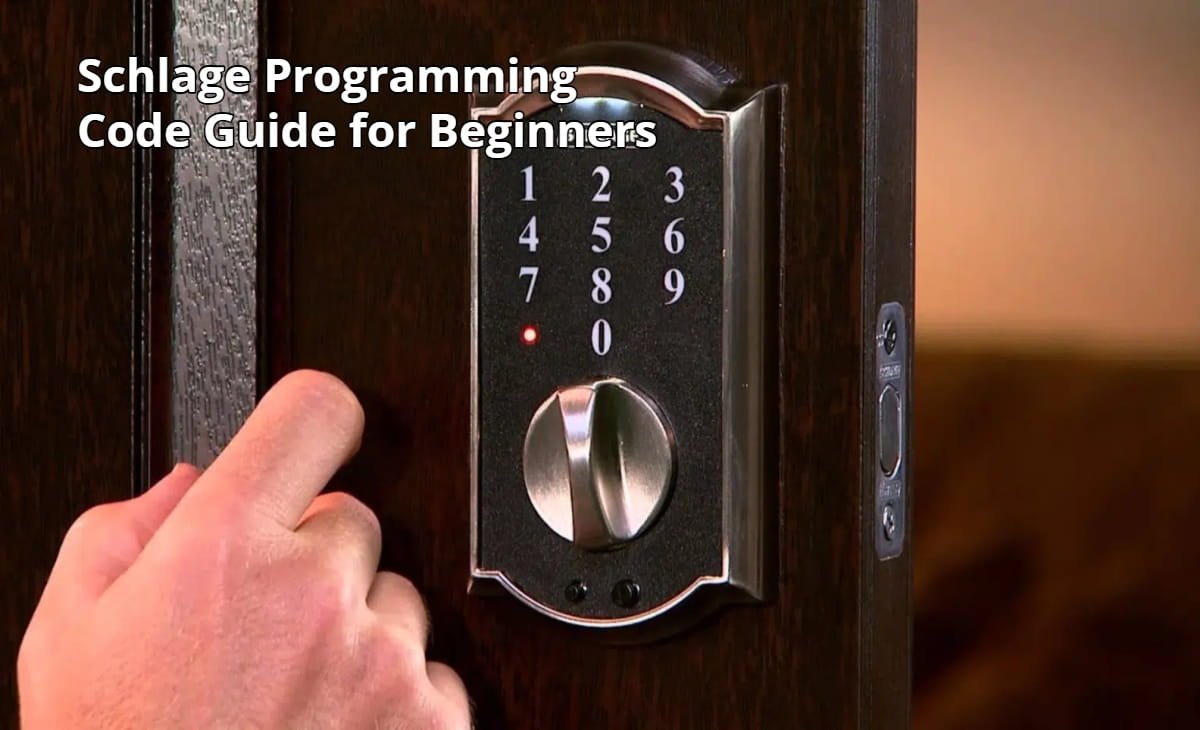

Smart locks and keypad locks have changed how we secure our homes and offices. Among the most trusted names in this space is Schlage, a brand known for durable electronic deadbolts and easy-to-use keypad locks. However, many new users struggle with one important step: understanding the Schlage programming code.
If you’ve recently installed a Schlage electronic lock and are unsure how the programming code works, you’re not alone. I’ve helped several homeowners and small office owners set up these locks, and the most common question I hear is: “Why can’t I add a new user code?” Almost every time, the issue comes down to confusion about the programming code.
This Schlage Programming Code Guide for Beginners explains everything clearly about what the programming code is, where to find it, how to use it, and how to change it safely. By the end of this guide, you’ll know exactly how to manage your lock’s settings with confidence.
What Is a Schlage Programming Code?
The Schlage programming code is a special administrative code that allows you to configure and control your lock’s settings. Think of it as the master key for the lock’s software.
Unlike regular user codes that unlock the door, the programming code allows you to:
- Add new user access codes
- Delete existing codes
- Enable or disable certain lock features
- Reset or reconfigure the lock
Most Schlage keypad locks come with two default programming codes printed on a sticker inside the lock or on the original manual. These codes are unique to each lock and act as the starting point for customization.
In my experience installing several Schlage locks for clients, many people keep using the default programming code without changing it. While it works fine, security experts recommend updating it to something private as soon as the lock is installed.
Why the Programming Code Is Important
Understanding the programming code is essential for managing your lock’s security.
First, it gives you full administrative control. Without it, you cannot add or remove user codes. If you plan to give access to family members, guests, cleaners, or employees, the programming code becomes the gateway to managing those permissions.
Second, it protects the system from unauthorized changes. Even if someone knows a regular access code, they still cannot modify the lock’s settings without the programming code.
Third, it simplifies daily life. Instead of carrying physical keys, you can easily create temporary or permanent access codes. This is particularly helpful for rental properties or offices where access frequently changes.
Where to Find the Default Schlage Programming Code
When you purchase a Schlage electronic lock, the default programming code is included with the device.
You can usually find it in three places:
Inside the lock assembly:
When you remove the interior cover, a sticker often lists both the programming code and the default user codes.
On the installation manual:
The printed manual typically includes a card or label with the codes.
On the packaging label:
Some models include a barcode sticker showing the codes.
If the sticker is missing or unreadable, you may need to reset the lock to restore factory settings.
According to documentation from Schlage, resetting the lock will restore the original programming code printed on the device.
Step-by-Step Guide to Using the Schlage Programming Code
For beginners, programming a Schlage lock may seem intimidating. In reality, the process becomes very easy once you understand the sequence.
1: Enter the Programming Code
Start by entering the programming code on the keypad. Once accepted, the lock will indicate it is ready for a command usually through a flashing light or audible beep.
2: Select a Command
Schlage locks use numeric commands for different functions. For example, you may press a specific number to add or delete user codes.
3: Enter the User Code
After selecting the command, you enter the new access code that you want to assign.
4: Confirm the Entry
The lock will confirm the change with a green light or beep, indicating the code has been successfully added.
Once you perform this process a few times, the entire operation usually takes less than 30 seconds.
How to Change the Programming Code
Changing the default programming code is one of the first steps I recommend after installing a new lock.
Leaving the default code unchanged could create a security risk if someone else gains access to the original packaging or manual.
The typical process works like this:
Enter the existing programming code on the keypad.
Choose the command for changing the programming code.
Enter the new six-digit programming code.
Confirm the new code when prompted.
Once updated, only the new programming code will allow administrative changes.
When helping clients install smart locks in rental apartments, I always encourage them to create a unique programming code unrelated to birthdays or common numbers. This small step significantly improves security.
Adding and Managing User Codes
One of the most practical features of Schlage locks is the ability to create multiple user codes.
A typical Schlage keypad lock can store 19 to 30 different user codes, depending on the model.
This flexibility allows homeowners and business owners to control who can enter the property.
For example, you might assign:
A permanent code for family members
A temporary code for guests
A scheduled code for cleaners or maintenance staff
If someone no longer needs access, you can simply delete their code without affecting others.
From my experience, this feature is especially useful for Airbnb hosts and small offices where access frequently changes.
Common Problems Beginners Face
Even though Schlage locks are designed to be user-friendly, beginners often encounter a few common problems.
One issue is entering the programming code incorrectly. Because the code must be exact, even a single wrong digit will prevent the system from entering programming mode.
Another frequent problem is forgetting the programming code entirely. Without it, administrative functions become inaccessible.
A third issue occurs when users attempt commands too quickly. Many locks require a brief pause between entries, and rushing the process may cause the lock to reject the command.
Whenever I troubleshoot these issues for clients, I recommend carefully following the sequence and waiting for confirmation signals before moving to the next step.
Security Best Practices for Schlage Locks
To get the most out of your Schlage electronic lock, a few security practices make a big difference.
Always change the default programming code immediately after installation.
Avoid using predictable numbers like 123456 or repeated digits.
Remove unused user codes regularly.
Store the programming code securely but not directly near the lock.
These simple practices help ensure that your electronic lock provides the level of security it was designed for.
For additional security guidance, resources from the National Institute of Standards and Technology highlight the importance of strong authentication practices and access control for digital security systems.
Visuals That Can Improve Understanding
Because keypad programming involves specific sequences, visuals can greatly improve comprehension.
A helpful blog post about Schlage programming codes could include:
A diagram of the lock keypad explaining each button.
Screenshots of the programming sequence step-by-step.
A flowchart showing the code creation process.
A photo of the location of the programming code sticker inside the lock.
These visuals help beginners quickly understand the process without feeling overwhelmed.
Frequently Asked Questions
What is the default Schlage programming code?
The default programming code is a six-digit administrative code included with the lock. It is printed on a label inside the lock or on the installation guide.
Can I change the Schlage programming code?
Yes. Most Schlage electronic locks allow users to replace the default programming code with a custom one for better security.
How many user codes can a Schlage lock store?
Depending on the model, most Schlage keypad locks can store 19 to 30 different user codes.
What happens if I forget the programming code?
If the programming code is forgotten, you may need to perform a factory reset. This restores the lock to its original settings and reactivates the default codes.
Do user codes unlock the door?
Yes. User codes are the codes entered on the keypad to unlock the door, while the programming code is used only for configuration and management.
Conclusion
Learning how the Schlage programming code works is the key to unlocking the full potential of your electronic lock. Once you understand the difference between programming codes and user codes, managing access becomes simple and efficient.
From adding new users to improving security with a custom programming code, these features allow homeowners and businesses to control entry without relying on traditional keys.
If you’ve just installed a Schlage lock, take a few minutes to locate the default programming code, change it to something secure, and start setting up personalized access codes. This small effort will make your property safer and more convenient to manage.
For further learning, explore Schlage’s official documentation or consider reading related guides such as “How to Reset a Smart Door Lock” or “Best Smart Locks for Home Security.” These resources can help you build a smarter, more secure home environment.
If you found this guide helpful, share it with others or leave a comment with your experience using Schlage locks. Your insights may help another beginner solve the same problem faster.