

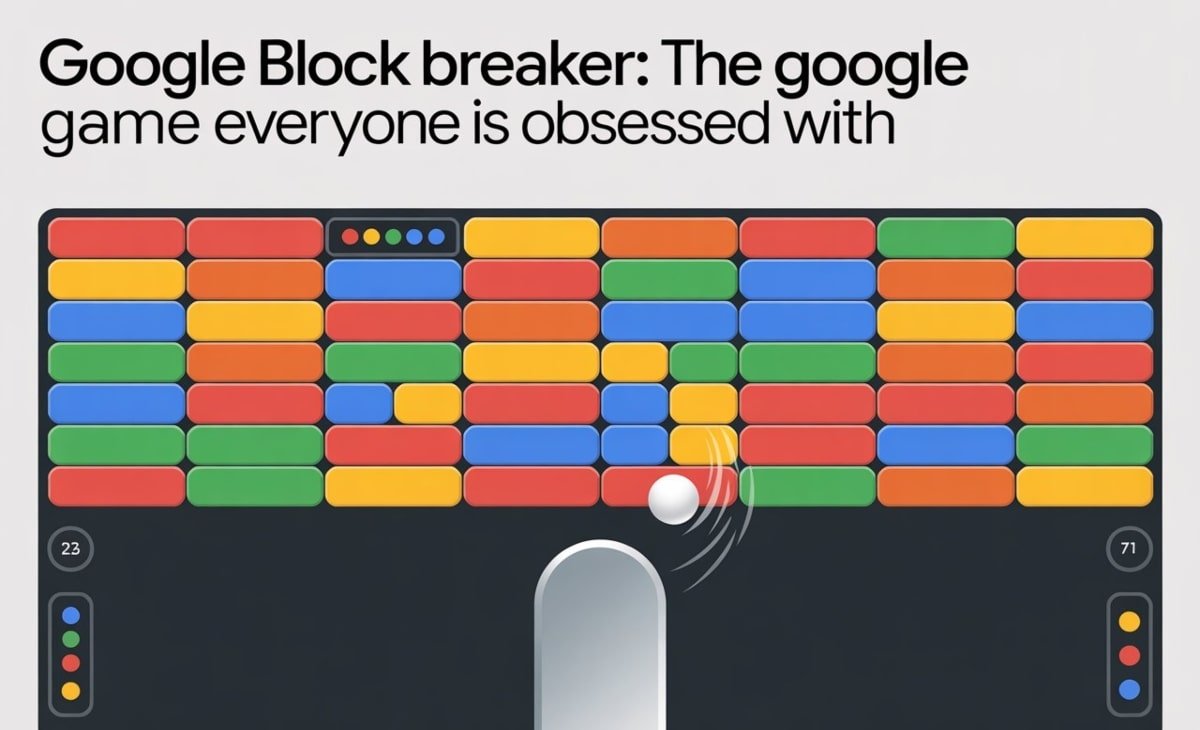

Have you ever stumbled across a Google Easter egg so fun you kept playing long after you meant to stop? Google Block Breaker is exactly that kind of surprise. Inspired by the arcade classic Atari Breakout, this modern Google twist blends retro nostalgia with simple, addictive gameplay that keeps people coming back for “just one more round.”
Whether you’re trying to beat your friends or attempting to top the global high-score charts, this guide breaks down the mechanics, secrets, and strategies you need to level up your Block Breaker skills.
What Is Google Block Breaker?
Google Block Breaker is one of Google’s interactive Search Doodle games—a playful mini-game designed to work right inside your browser. The goal is simple: use a paddle to bounce a ball upward and destroy every block on the screen. As levels progress, blocks get tougher, balls move faster, and power-ups become essential to survival.
The Connection to Atari Breakout
This game is Google’s tribute to the iconic Atari Breakout from the 1970s. But rather than being a carbon copy, Google adds its own flair:
- Crisp, colorful graphics
- Extra power-ups
- Blocks with different strengths
- Dynamic, fast-paced level design
It feels familiar yet refreshingly modern—perfect for both casual players and retro enthusiasts.
How to Access Google Block Breaker
Playing Block Breaker is just as easy as searching for anything else on Google. No extra software, no extensions, no installation required.
On Desktop
- Open Google.com.
- Type “Google Block Breaker” or “block breaker Google game” in the search bar.
- Click the interactive doodle at the top of the results.
- Start smashing blocks immediately.
On Mobile
- Open the Google app or mobile browser.
- Search “Google doodle Block Breaker” or “block breaker Google doodle.”
- Tap the playable doodle and begin your game.
Pro Tip: If the doodle doesn’t appear, update your browser. Some doodles also appear only during special rollouts—so check back periodically.
Gameplay Mechanics and Power-Ups
To hit the leaderboard, you need more than quick reflexes. Here’s how the core gameplay works.
Basic Rules
- Control the paddle at the bottom of the screen.
- Keep the ball from falling off the edge.
- Break all blocks to advance to the next level.
Key Power-Ups and What They Do
| Power-Up | Description | Effect on Gameplay | Scoring Impact |
| Paddle Extension | Widens the paddle. | Makes catching the ball easier. | Longer survival increases total potential score. |
| Multi-Ball | Spawns extra balls. | Clears large sections quickly. | Direct score boost from multiple block hits. |
| Laser | Adds a shooting ability. | Lets you destroy blocks without hitting them. | Great for precision and clearing high-resistance blocks. |
Learning when to trigger each power-up is the difference between a decent run and a record-setting one.
Tactics for Achieving High Scores in Google Block Breaker
The highest recorded score for this reached 111,475 in March 2025. Want to beat it? Start with these expert strategies.
1. Master Paddle Control
Your paddle movement must be smooth and steady. Instead of frantic swiping, use controlled motions to stay directly under the ball.
Pro Tip: Striking the ball near the paddle’s edges creates sharper angles that help you reach tricky blocks.
2. Optimize Power-Up Usage
Not all power-ups should be used the second they drop.
- Save Paddle Extension for fast, late-stage levels.
- Trigger Multi-Ball when facing dense clusters of blocks.
- Use Laser for stubborn high-resistance blocks or tight corners.
Timing is everything.
3. Assess Block Resistances
Not every block breaks the same way. Understanding resistance levels helps you plan your angles and power-up usage.
| Block Type | Resistance | Points | Strategy |
| Standard Block | 1 hit | 10 | Use as angle control for rebounds. |
| Double-Hit Block | 2 hits | 20 | Prioritize when using multi-ball. |
| Indestructible Block | Infinite | 0 | Perfect for bounce manipulation. |
4. Leverage Ball Angles
Sharper ball angles mean more time ricocheting around the top of the screen—hitting multiple blocks before returning. This is one of the easiest ways to rack up points quickly without taking extra risks.
Unique Features of Google Block Breaker and Easter Eggs
Google added several special elements that make this doodle a standout among its mini-games.
Special Blocks and Levels
- Some blocks drop power-ups when destroyed.
- Advanced levels introduce unbreakable walls and complex layouts.
- Speed ramps increase difficulty the further you go.
Hidden Google Easter Eggs
If you enjoy Block Breaker, Google has more hidden gems waiting for you:
- Pac-Man
- Tic Tac Toe
- Snake
- Google Gravity
- Dinosaur Game (when offline)
These Easter eggs are perfect for casual gaming breaks.
Why Google Block Breaker Is Addictive
What makes this doodle so irresistible?
- Nostalgia meets modern flair
- Instant accessibility with no login required
- Short but intense gameplay cycles
- Increasing difficulty that challenges you to keep improving
It’s the perfect “quick break” game that accidentally steals 20 minutes of your day.
Take Your Block Breaking to the Next Level
Armed with these tips, you’re ready to dominate it. Sharpen your reflexes, experiment with ball angles, and combine your power-ups wisely. Search “Google Block Breaker” and start playing—you might surprise yourself with how fast your score climbs.
Already playing? Share your high score and challenge your friends. Who knows—you may end up setting the next world record.
FAQs
How do I play Google Block Breaker?
Just search “Google Block Breaker” on Google and play instantly—no download needed.
How do I unlock new levels?
Clear every block on the current board to advance.
Can I play on any device?
Yes! It works smoothly on both desktop and mobile.
Are there other Google Easter egg games?
Absolutely—try Pac-Man, Tic Tac Toe, Snake, or the classic Dino game.
How do I earn extra lives?
Collect special power-ups or hit certain score milestones during gameplay.